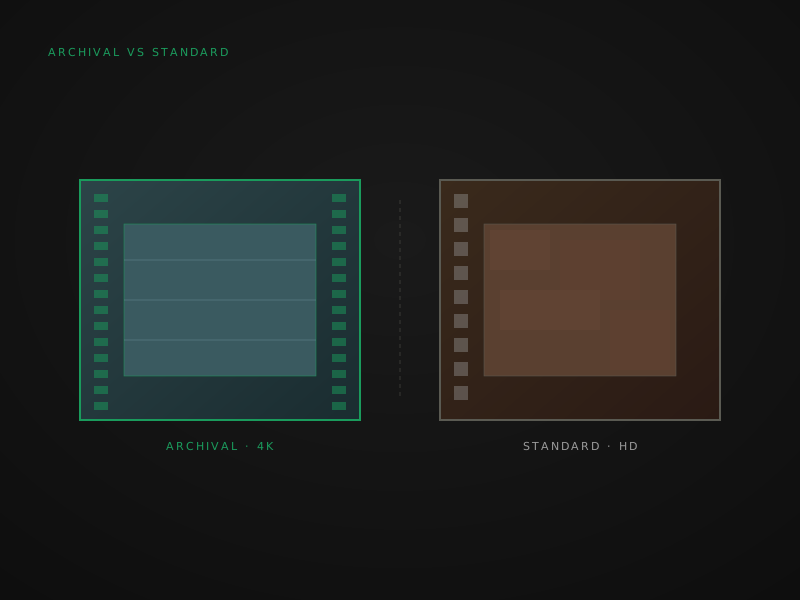
The word “digitization” covers two fundamentally different processes. On one end is a real frame-by-frame scan at 2K or 4K, producing a file that stands up to editing, restoration, and another twenty years of viewing. On the other end is a video camera pointed at a wall with a projector running — a process that can be sold for a dollar a foot but loses most of what’s on your film.
This is a guide to telling them apart before you order, not after.
The one-sentence answer
Archival scanning preserves essentially all the image detail on your film. Standard projector-based transfer loses 40 — 60% of it. If the footage matters to you for any reason beyond watching it once and never touching it again, archival is the right choice.
See them side by side
The difference is obvious within seconds when you see them side by side. If you’ve only ever seen one, you may not realize what you’re missing — the absent detail looks like the way film “just looks.”
All the specs, in one place
| Attribute | Archival scan | Standard transfer |
|---|---|---|
| Capture method | Direct sensor capture, frame-by-frame | Video camera recording a projected image |
| Resolution | 2K or 4K (3840 × 2160) per frame | 720p or 1080p averaged across motion |
| Codec | ProRes 422 HQ, ProRes 4444, or uncompressed DPX | H.264 or MPEG-4 |
| Color depth | 10 — 16 bits per channel | 8 bits per channel |
| Color correction | Per-scene manual | Auto / none |
| Audio capture | Optical or magnetic, sample-accurate | From projector speaker via mic |
| Damaged film | Sprocketless transport, 0 — 2% shrinkage handled | Stops working; can break brittle film |
| Master file size | 50 — 250 GB per hour | 1 — 5 GB per hour |
| Suitable for editing | Yes — full headroom for color, restoration, upscaling | No — re-encoded H.264 has no headroom |
| Lifetime | 20+ years viable for re-mastering | Will look dated within 5 — 10 years |
Why the difference matters
Resolution alone doesn’t explain the gap. Even at the same nominal resolution, a frame-by-frame scan captures more usable detail than a projector transfer because:
- Direct sensor capture picks up every frame at the full sensor resolution, exposing each one optimally. Projector transfer averages motion across frames and exposes for a generalized brightness.
- Frame-by-frame timing preserves the actual frame rate of the original film (typically 16 or 18 fps for home movies). Projector transfer locks to 30 or 60 fps and interpolates, introducing motion artifacts.
- Optics path length is much shorter on a scanner. Projector transfer goes lens → screen → lens → sensor. Each surface degrades the image.
- Color depth headroom at 10+ bits per channel lets us correct color shifts post-capture without banding. 8-bit H.264 doesn’t have that headroom — correction introduces visible artifacts.
Codec matters as much as resolution. ProRes 422 HQ at 1080p preserves more useful image data than H.264 at 4K because of the difference between an intermediate codec and a delivery codec. ProRes is designed to survive editing without compounding loss. H.264 is designed to be small.
How to tell them apart
If you’re evaluating a service before ordering, three questions resolve which kind of digitization you’re actually buying:
- “Are you scanning frame-by-frame, or transferring through a projector?” Direct answer required. Anyone who deflects this is doing projector transfer.
- “What codec is the master file?” ProRes (any flavor) or DPX means archival. H.264, MPEG, or MOV without specifying ProRes means standard.
- “How do you handle damaged film?” Sprocketless capstan transport handles damage. Sprocket-driven transport stops working at ~1% shrinkage. Projector-based transfer can break brittle reels outright.
Which is better?
The wrong frame. “Better” depends on what you’re trying to do with the file. Two specific scenarios:
- For viewing once and never touching again: standard transfer is acceptable for healthy reels. The deliverable is a small
.mp4you can play on anything. The image quality is meaningfully lower, but if you don’t plan to edit, color-grade, restore, or re-export the file, the lower quality may not matter. - For preservation, editing, or anything you care about long-term: archival scanning is the only correct choice. Once you’ve compressed footage to H.264, you can’t recover what was lost. ProRes and DPX masters survive future re-mastering, restoration, and resolution upgrades. The choice you make today determines what your grandchildren can do with the footage in 2050.
What this means for digitization
FPL doesn’t operate projector-based transfer at all. It damages film — brittle reels can break in projector gates — and it produces lower-quality output. Instead, our Access tier captures from the same Lasergraphics ScanStation we use for Preservation and Archival, but encodes to 1080p H.264 for casual viewing. Same scanner, same care at intake, lighter deliverable.
If you’re comparing services and the price-per-foot is suspiciously low (below ~$0.30/ft for film), it’s almost certainly projector transfer. The cheapest real archival scanning is around $0.42/ft because the labor and equipment cost can’t go below that.
For the full per-tier pricing breakdown see the pricing page. For an end-to-end view of how a reel moves through the lab see Inside the lab.
Closing thoughts
The price-per-foot conversation distracts from what’s actually being purchased. A $0.20/ft projector transfer and a $0.98/ft Preservation scan look like the same service line item, but they’re fundamentally different products. The transfer is a record of what the film looked like through a projector on the day it was captured. The archival scan is the film itself, transferred to a stable digital medium.
If the footage matters — if you’d be unhappy losing it, if you’d want to share it with descendants, if you’d ever consider editing or restoring it — archival is the right choice. If it’s genuinely a casual one-time view of healthy reels, standard transfer is acceptable.
For most home collections, “casual one-time view” turns out to be optimistic in retrospect. Once people see what their family looks like on film, they tend to want to do more with it than they originally planned.
Which one is right for you?
- If you have damaged or visibly aged film → Preservation tier or higher. Sprocketless transport is the only safe handling. Standard transfer can break brittle reels.
- If you have institutional or grant-funded reels → Archival tier with FADGI-informed documentation. See the institutional services page.
- If you have small reels of healthy home movies and just want to watch them → Access tier is the right balance. Same archival capture, lighter deliverable.
- If you plan to edit, color-grade, or restore the footage → Preservation or Archival tier with ProRes masters. H.264 can’t be edited cleanly.
- If you’re still unsure → Send photos. We’ll recommend the appropriate tier in writing, with the reasoning, before you commit anything.
For a deeper look at deterioration that may push your decision toward Preservation, see the film deterioration guide. For format identification before ordering, the format ID guide is the place to start.
Quick answers from the bench
- Archival scanning captures each frame of film individually with a digital sensor at 2K or 4K resolution. Standard transfer uses a video camera pointed at a projected image — the projector runs the film, the camera records the screen. Archival preserves essentially all the detail; transfer loses 40 — 60% of it to projection optics, frame interpolation, and lower capture resolution.