The resolution question is the most-asked technical comparison in film digitization, and the marketing layer doesn’t make it easier to answer. 4K sounds better than 2K the way premium sounds better than standard. The honest answer is more nuanced — and depends on what your film actually holds, not what the spec sheet says.
This is a practical guide to choosing between 2K and 4K for a film scan, with the format-specific differences and the storage and budget implications that the marketing pitch usually skips.
The numbers, briefly
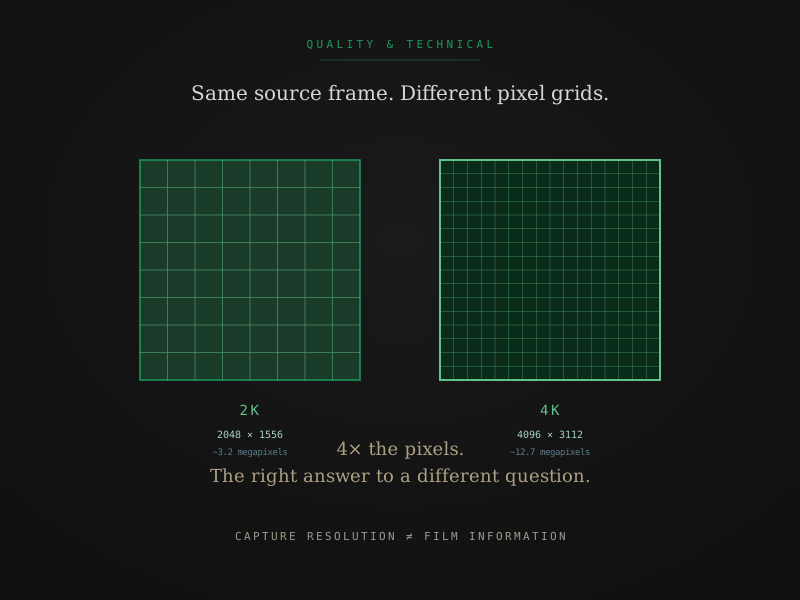
- 2K is 2048 by 1556 pixels. About 3.2 megapixels per frame. The standard for editorial intermediate work and most professional film masters until roughly 2015.
- 4K is 4096 by 3112 pixels. About 12.7 megapixels per frame. Four times the pixel data of 2K. Standard for modern archival masters and high-end deliverables.
These numbers are the capture resolution off the film. When marketing says “4K scan,” the legitimate version of that claim means the scanner sensor captured at 4K native resolution — not that a downstream encoder produced a 4K-sized output file from a lower-resolution capture.
The honest answer depends on the source
Whether 4K is worth the extra cost depends on how much detail your original film actually holds. Each film format has a resolving power — an upper limit on how much detail the film stock can record, set by grain size, lens quality, and exposure. Past that limit, more capture resolution doesn’t pull more image information out of the film. It pulls more grain.
For 8mm and Standard 8mm
Both formats use very small frames (about 4.5mm by 3.3mm of image area). Film grain at this format size is large relative to the image. Practical resolving power tops out around 2K to 2.5K under good conditions; less if the original was shot in dim light or with a budget camera.
Verdict for 8mm and Super 8: Real optical detail tops out around 3.3K. 4K capture resolves all of it, plus grain structure and tonal headroom beyond what 2K captures. At Preservation tier you get 4K, ProRes 422 HQ, and scene-by-scene color — meaningfully more than Access (2K H.264). The step from Preservation to Archival at this gauge is about DPX output and the deeper color pipeline, not a resolution jump.
For 16mm
16mm has roughly four times the image area of Super 8. The film grain is proportionally smaller relative to the frame, and the resolving power is correspondingly higher — comfortably into 4K territory under normal exposure, and 5K to 6K for the best stock and lens combinations.
Verdict for 16mm: 4K is meaningfully better than 2K. The original film holds more detail than 2K can resolve, and the difference shows up clearly in the captured file. For archival 16mm work, 4K is the right baseline.
For 35mm
35mm cinema-grade stock holds the most detail of any common format. Resolving power runs 4K to 6K for typical commercial stock and into 8K for the highest-grade studio originals. Modern cinema standards capture 35mm at 4K or 6K specifically because the source supports it.
Verdict for 35mm: 4K is the floor for archival work. 6K is appropriate for grant-funded preservation of cinema-grade originals. The 2K-vs-4K comparison rarely arises for serious 35mm work — 4K wins.
What “will I notice the difference” really means
The honest answer to the noticeability question depends on three variables: source format, display size and resolution, and what you plan to do with the file.
On a 1080p HD TV (still the most common display in American homes today), both 2K and 4K source files get downscaled to 1920 by 1080 for playback. The difference between them is essentially invisible, regardless of source format. If your only display target is a standard HD TV, paying for 4K is paying for headroom you won’t see today.
On a 4K TV (increasingly common, often 55 to 75 inches), 4K scans play at native resolution and 2K scans get upscaled. The difference is visible on 16mm and 35mm because the source film holds the detail to feed the 4K display. The difference is subtle to invisible on 8mm and Super 8 because the grain dominates — you’re seeing a 4K render of a film that doesn’t have 4K of useful image information.
For editorial or restoration work, capture resolution becomes infrastructure. A 4K source file gives you headroom for cropping, stabilizing, and re-grading without losing visible quality. A 2K source file constrains those workflows. This is why post-production houses default to 4K masters when they can — even if the final delivery is 2K.
Bit depth matters more than resolution
The marketing conversation focuses on resolution because resolution is a single number that scales linearly. The variable that actually matters more for film grading and color recovery is bit depth — the number of distinct color values per channel.
- 8-bit (H.264, most consumer formats) is 256 levels per channel. Banding visible the moment you push grading.
- 10-bit (ProRes 422 HQ, the typical Preservation tier deliverable) is 1,024 levels. Editorial-grade.
- 12-bit (ProRes 4444 XQ) is 4,096 levels. Comfortable headroom.
- 16-bit (DPX archival) is 65,536 levels. Full archival headroom.
The practical consequence: if you were choosing between a 4K H.264 scan (8-bit) and a 4K ProRes 422 HQ scan (10-bit), the ProRes file holds up significantly better through any editorial or color work. Resolution can be rebuilt somewhat via upscaling; bit depth doesn’t recover after compression. Bit depth is invisible in marketing but decisive for any project that touches color — which is why FPL's Preservation tier delivers 10-bit ProRes rather than an 8-bit H.264-only output.
For deeper coverage of how bit depth and codec choices interact with archival use, ProRes, DPX, H.264 — choosing your output format is the longer companion piece.
How 2K and 4K map to FPL tiers
At FPL the resolution tier is bundled with the capture pipeline and color treatment, not sold as a separate add-on:
| Tier | Capture | Output formats | Per-foot rate (small format) |
|---|---|---|---|
| Access | 2K | 1080p H.264 | $0.42/ft |
| Preservation | 4K | ProRes 422 HQ master + H.264 access copy | $0.98/ft |
| Archival | 4K | DPX 16-bit + ProRes 4444 XQ + H.264 | $1.65/ft |
Both Preservation and Archival scan at 4K. The difference is what comes out the other side: Preservation delivers a 4K ProRes 422 HQ master with scene-by-scene color grading in DaVinci Resolve. Archival adds a log color pipeline, ProRes 4444 XQ, 16-bit DPX sequences, and FADGI-informed documentation.
For 8mm and Super 8 collections that need a ProRes master but not DPX archival output, Preservation is the right tier. You get the same 4K scanner, scene-by-scene color correction, ProRes editorial master, and access copies — at a lower per-foot rate than Archival.
For 35mm or 16mm institutional work where the spec calls for DPX and FADGI documentation, the Archival tier is the right answer.
One context worth knowing: the cheapest FPL tier (Access, 2K H.264) is already meaningfully better than the standard output at most mail-in box services, which typically deliver 480p to 720p MP4 from projector-transfer workflows. FPL's 2K floor is a genuine floor — not a downgrade from some higher standard default.
Storage and workflow load
A practical consideration that the marketing pitch usually skips: 4K is roughly four times the storage and processing load of 2K. Concrete estimates per minute of source:
- 2K H.264 (Access tier): ~0.2 to 0.5 GB/min
- 4K ProRes 422 HQ (Preservation tier): ~6 GB/min
- 4K ProRes 4444 XQ (Archival tier): ~12 GB/min
- 4K DPX 16-bit sequence (Archival tier): ~30 to 50 GB/min
A 200 ft Super 8 reel running about 13 minutes at Archival with DPX is roughly 400 to 650 GB. Plan storage capacity accordingly — for large collections at Archival tier, the ongoing Vault storage cost over time can approach the scan cost.
When 4K is genuinely the right answer
The honest version, by source format and use case:
| Scenario | Recommendation |
|---|---|
| 8mm or Super 8, casual family viewing | Access (2K H.264) |
| 8mm or Super 8, archival for grandchildren | Preservation (4K ProRes 422 HQ) |
| 8mm or Super 8, institutional or restoration | Archival (4K ProRes 4444 + DPX) |
| 16mm home movies, editorial use | Preservation (4K ProRes 422 HQ) |
| 16mm documentary or professional work | Archival (4K ProRes 4444 + DPX) |
| 35mm home movies | Archival (default for 35mm) |
| 35mm cinema or institutional | Archival (or 6K on request if the collection warrants it) |
| Any institutional FADGI-informed project | Archival, DPX deliverable |
| Editorial intermediate for any source | Preservation — 4K ProRes 422 HQ has headroom for grading |
For full per-tier specifications and what each deliverable looks like at FPL, the output formats page walks the matrix in detail. For institutional and grant-funded projects specifically, FADGI compliance for film digitization covers the spec requirements that drive 4K-or-higher decisions.
The shortest version
If you remember three things:
- Source format determines source ceiling. 8mm and Super 8 top out around 3.3K of real optical detail; 16mm and 35mm comfortably use all of 4K. At FPL, Preservation and Archival both scan at 4K; Access delivers 2K H.264.
- Bit depth matters as much as resolution. A 4K Preservation scan (10-bit ProRes) beats a 4K Access scan (8-bit H.264) for any editorial work, every time, because color grading headroom doesn’t recover after compression.
- The choice between Preservation and Archival is about output format depth, not resolution. Both are 4K. Archival adds ProRes 4444, DPX sequences, and FADGI documentation.
For most consumer 8mm and Super 8 collections, Preservation is the right tier — 4K ProRes 422 HQ at a reasonable rate. For 16mm, 35mm, and any institutional or restoration work where DPX delivery or FADGI documentation is required, Archival is the right tier. For mixed collections, different reels can go to different tiers, and we quote each accordingly.
Quick answers from the bench
- No. 4K is better when the source film holds more detail than 2K can resolve, which is true for 16mm and 35mm and partially true for the highest-quality Super 8. For typical home-movie 8mm and Super 8, the film grain itself is the limiting factor — past a certain capture resolution you are scanning the grain pattern rather than capturing more image information. 2K usually hits that ceiling on small-format film.