You found a box of film reels. Maybe in a parent’s closet, maybe in your own basement, maybe in the back of a storage unit you forgot existed. You want to know what’s on them. You don’t have a projector, and even if you did, you’ve been told you shouldn’t run old film through one.
This is a practical guide to watching what’s on the reels without putting the originals at risk — with honest framing about which methods are realistic and which exist mostly in old preservation pamphlets.
The honest answer
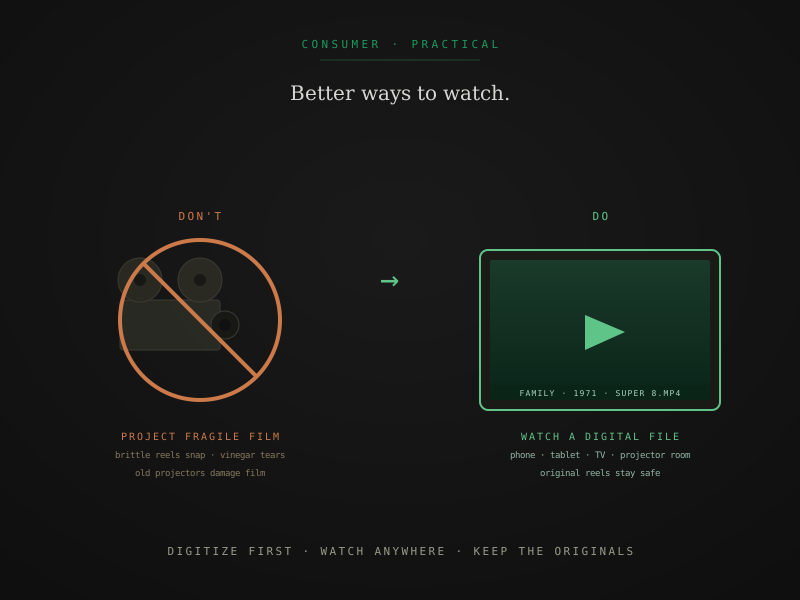
The right approach is digitize first, watch second. A professional digital scan produces files you can play on a phone, tablet, TV, computer, or projector room without ever running the original reel through anything mechanical. The original stays in its can, on its reel, exactly the way it’s been for the last 50 years.
This isn’t the answer most people want when they’ve just discovered a box of film. The instinct is to project it — to see what’s actually on the reels before deciding whether to spend money digitizing them. That instinct is reasonable; it’s also exactly the wrong move for the typical situation, because old projectors damage old film.
What follows is the realistic alternatives list, in roughly the order most home users will find useful.
Don’t project fragile film
Before the alternatives, the warning. Old projectors mechanically pull film through a gate using sprocket teeth that engage the perforations on the edge of the strip. For healthy film with intact perforations, this is fine. For anything compromised, the projector can damage or destroy the reel:
- Brittle film snaps under the tension of sprocket-tooth engagement
- Vinegar-syndrome film is structurally weakened and may tear
- Shrunken film doesn’t fit the sprocket spacing — teeth grip wrong perforations or skip them
- Damaged perforations give the teeth nothing reliable to grip, leading to slips, jumps, or further tears
A reel that’s been sitting in a closet for 50 years has probably developed at least some of these conditions, even if it looks fine from outside the can. Running it through a projector is a one-way risk: the projector either works (in which case you watched the film) or doesn’t (in which case you damaged or destroyed the only copy).
For deeper coverage of the mechanical issue and what makes professional scanners safer, sprocketless film transport walks the engineering.
What to do instead
Option 1: Digitize first, then watch the digital file
The right answer for almost all situations.
A professional film scan produces a digital file (typically H.264 MP4 at the Access tier, ProRes at higher tiers) that plays on any modern device. Once digitized, you can:
- Watch on a phone, tablet, laptop, or TV
- Project the digital file in a darkened room with a modern HD projector
- Share with family via cloud links
- Edit, color-correct, or restore as you see fit
- Preserve indefinitely without ever touching the original again
The cost: per-foot rates ranging from $0.42 (Access tier) to $1.65 (Archival tier) for Super 8, 8mm, and 16mm. A typical 200-ft Super 8 reel runs $84 to $330 in scanning, plus per-service handling. For a single reel you specifically want to watch, the Access tier produces a watchable file at the lowest cost.
The full pricing rate card is on the pricing page. For framing on which tier matches casual-viewing-versus-archival use cases, archival scan vs standard transfer walks the trade-off.
Option 2: Tabletop film viewers and editors
If you genuinely need to preview what’s on a reel before committing to digitization, small tabletop viewers from the 1970s and 80s are the safest hand-cranked option. Models include:
- Goko, Sears Tower, Bell & Howell, Eumig — small editors with a tiny screen and a hand-crank or low-speed motor
- 8mm and Super 8 specific — the format-specific viewers handle their target gauge gracefully
- Often available used for $30 to $150 on eBay or local listings
These devices use a low-intensity light source and gentler film advance than full projectors, making them safer for fragile film. Practical limits:
- Image is small — a 3-by-4-inch screen is typical
- Frame rate is hand-controlled, so it’s for inspection rather than playback
- Splices and tears still cause stoppages
- Vinegar-syndrome film can still be damaged by the tension; severe deterioration is unsafe in any moving viewer
Right use case: triaging a collection. Quickly identify which reels contain interesting footage so you can prioritize digitization. Not for sustained viewing or sharing.
Option 3: Light-table or backlit visual inspection
The simplest and safest option, if you only need to identify what’s on a reel:
- A bright window or LED light source behind a section of unspooled film
- Hold a few feet of film up to the backlight
- You can see frames at their actual size, recognize people and locations, identify approximate dates from clothing or settings
Useful for inventory and identification. Not useful for actually watching the film, since the frames are tiny (about 0.16-by-0.13 inches for Super 8) and you can only see still images, not motion.
For a complete inventory protocol that uses this kind of inspection alongside the smell test for vinegar syndrome, you inherited a box of film, now what walks the practical step-by-step.
Option 4: Local library, community, and preservation events
Some communities have resources for film viewing in supervised settings with archival-trained operators:
- Local libraries in major cities sometimes host film viewing events and may have access to preservation-grade projectors
- Universities with film programs occasionally offer community viewing days or maintain projectors that students can supervise
- Home Movie Day is an annual community event (usually October) hosted by film archivists who project home movies in safe conditions
- Regional film societies and historical societies sometimes have preservation-trained volunteers who can project specific reels carefully
For most of these resources, the operator inspects the reel before threading it and will refuse film that’s clearly too fragile. Search “Home Movie Day [your city]” or contact your local library’s archive desk.
These resources are free or low-cost but not consistently available. Practical only if the timing matches your collection’s urgency.
Option 5: Professional preview scanning
If you have one or two specific reels you need to see right now, before committing to a full digitization project, a professional film lab can usually accommodate a quick preview scan as a paid service.
At FPL specifically: an Access-tier scan ($0.42/ft for Super 8, 8mm, and 16mm) produces a watchable 1080p H.264 file at the lowest cost tier. For a 200-ft Super 8 reel, that’s $84 in scanning plus per-service handling — less than $150 total to see what’s on the reel.
This is sometimes the right answer for an inherited collection where one specific reel matters most. Scan that reel first, watch it, decide whether to digitize the rest of the collection based on what you see. The Access tier file isn’t archival-grade — for that you’d want Preservation or Archival — but it’s a safe, watchable preview without putting the original at risk.
For a single reel you absolutely need to see immediately, this is the cleanest answer.
What about renting or borrowing equipment?
Three commonly-suggested options that don’t actually work well:
Renting a projector
Some camera shops still rent vintage projectors. The problem: a rental projector is one that’s been used by other people, possibly recently, on whoever’s film. Drive belts and lubricants don’t age well in shared equipment. The mechanical risk is the same as borrowing a friend’s untested attic projector, with the additional concern that the previous renter’s reel may have left damage or contamination in the gate.
Not recommended for any film with potential deterioration.
Buying a vintage projector and getting it serviced
If you genuinely want to keep film projection as an option, buying a working projector and having it professionally serviced (clean gate, replace belts, inspect mechanism) is technically possible. Costs $300 to $1,500 depending on model and service quality. The hidden cost: even a perfectly serviced projector still uses sprocket-driven transport, which is unsafe for damaged film regardless of the projector’s mechanical condition.
The math usually doesn’t work. By the time you’ve spent $500+ on a serviced projector, you’ve covered the cost of professional digitization for several reels — with no risk to the originals.
Building a DIY scanner
The deepest enthusiast option: buy an old projector, modify it with a CCD or CMOS sensor in the gate, capture the image directly to a computer instead of projecting. This produces output similar to mass-market projector-camera transfer methods, with all the same quality limits, plus a substantial time investment in building and calibrating the rig.
Reasonable for someone who genuinely enjoys the project and has only healthy film. Not the right answer for someone who just wants to see what’s on a few inherited reels.
For deeper coverage of the DIY-vs-professional decision framework, should you digitize your film yourself or use a professional? walks the comparison.
The shortest version
If you remember three things:
- Don’t project fragile film. The risk to the original is real and not avoidable through care alone.
- Digitize first, watch second. Professional scanning produces a digital file you can play anywhere, with no risk to the reels.
- For triage, tabletop viewers and visual inspection let you identify what’s on a reel without running it through a projector. For full playback, the digital file is the answer.
The instinct to project film and find out what’s on it before deciding whether to digitize is reasonable, and it’s usually backwards. Modern digitization is cheap enough that watching what’s on a reel is a side effect of preserving it — not a separate decision that has to come first.
Quick answers from the bench
- Risky. Old projectors that have been sitting in someone's attic or garage for 30 years often have dried-out lubricants, cracked drive belts, and registration issues that make them unsafe for fragile film even if they appear to work. The mechanical failure modes don't show up until a reel is already inside the gate. A working but unmaintained projector can ruin a reel in seconds. The risk is to your film, not the projector.